
Home automation designed around how you live
One system controls your lighting, shades, music, climate, and security. You press one button, and the house does the rest.
One system instead of a dozen apps
Many homes have connected devices. Each device has its own app, its own schedule, and its own login. An automated home works differently. One controller links every system, so each system can respond to the others.
In a typical home, a motion sensor turns on one light. In an automated home, the same sensor can also adjust the temperature and open the shades.
We design the equipment to stay out of sight. You notice what the house does, not the hardware behind it.
A day in an automated home
Automation does the most for the small tasks you repeat every day. Here is how a typical day can run.
6:30 a.m.
Wake up
Bedroom shades rise slowly, and the lights come up like a sunrise. The bathroom floor warms. The news starts in the kitchen.
8:15 a.m.
Leave
One keypad button turns off the lights and TVs, locks the doors, and arms the alarm.
3:30 p.m.
Kids home
You get a phone alert when the front door opens. A short video clip shows who came in.
6:00 p.m.
Arrive
The garage door opens. The entry lights turn on, the privacy shades close, and your playlist starts.
8:00 p.m.
Entertain
One "Party" button lights the path, sets the great room lighting, and plays music in every zone. You host, and the house handles the lighting and music.
11:00 p.m.
Good night
The lights dim over a few minutes, so everyone has time to reach their rooms. The doors lock and the alarm arms.
When you are away
Many South Florida owners travel often or keep a second home. Automation lets you check on the house from anywhere.
- Vacation mode turns lights and TVs on and off at random times. A simple timer follows a pattern that someone watching the house can spot.
- You let the housekeeper in from your phone while you watch on camera. The door locks again when they leave. Nobody needs a permanent code.
- You get an alert if the temperature or humidity leaves the range you set.
- Before you arrive at a second home, you cool the house and turn on the lights.
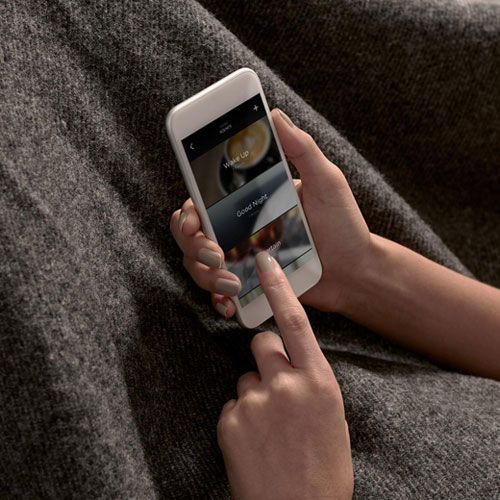
The systems we connect
Each system works on its own. When you connect them to one controller, they work together.
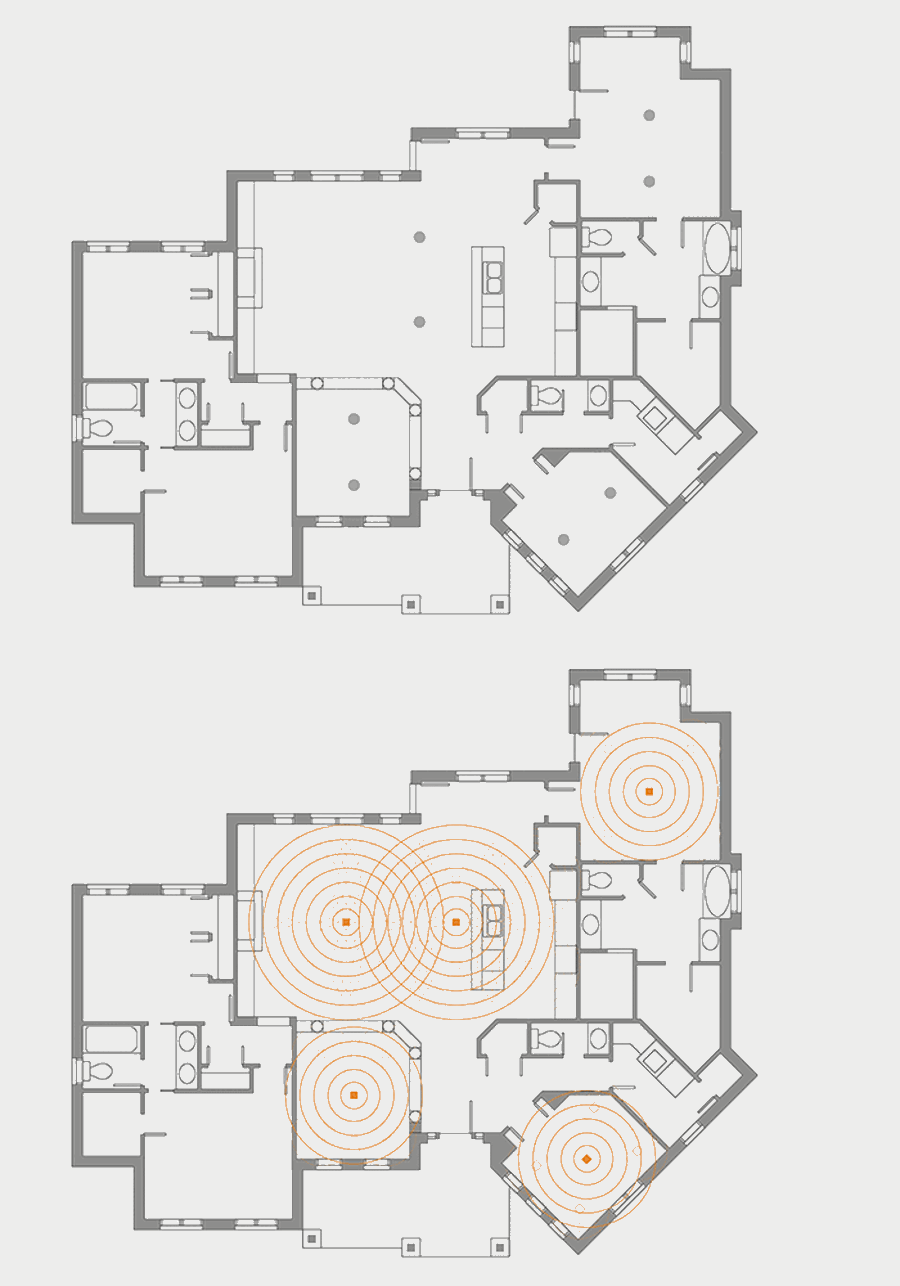
Whole-home audio
Play music in one room or in every room. Choose your own library, streaming services, satellite radio, or AM/FM. Control it from keypads, touchscreens, or your phone. Speakers sit flush in the wall or ceiling.
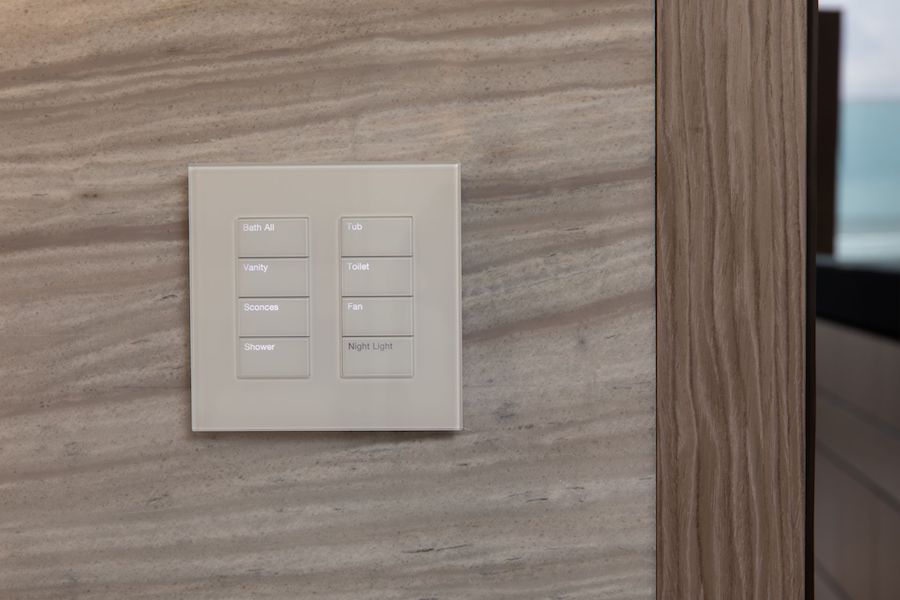
Lighting
Lights follow schedules and scenes. Landscape and holiday lighting turn on at dusk. One engraved keypad replaces a row of switches, and backlit buttons show what is on.
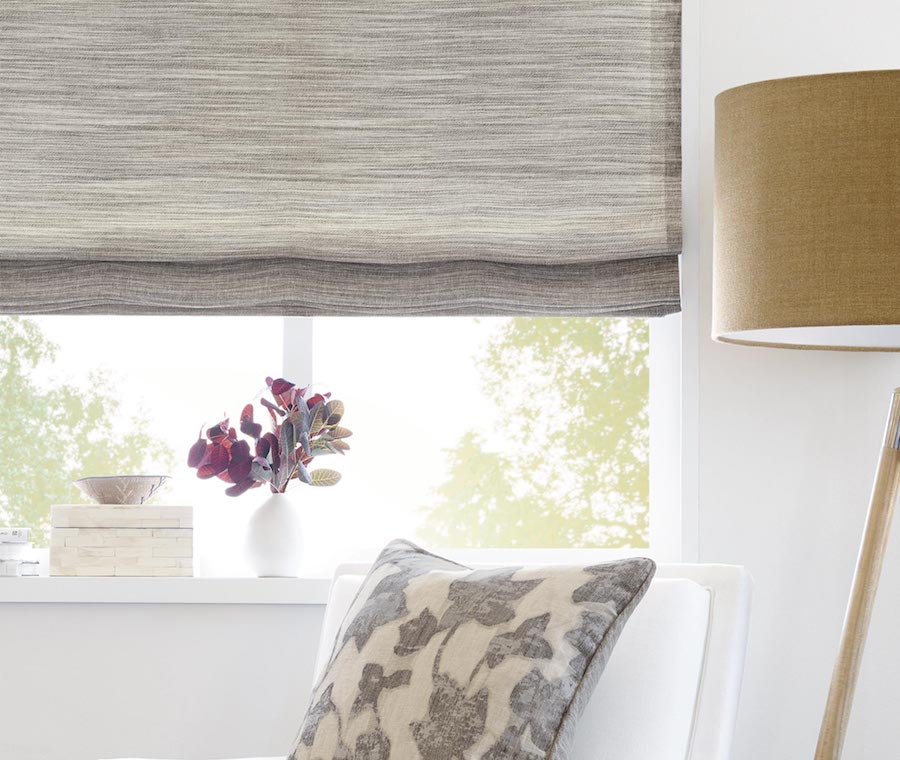
Shades
Motorized shades, drapes, and screens close for privacy at one touch. On a schedule, they block heat and UV, so the air conditioning runs less.

Climate
Control temperature and humidity by zone, from anywhere. The system sets back the HVAC when rooms are empty. Pool and spa heaters start on a schedule, so the water is ready when you are.
Network and Wi-Fi
Every connected device depends on the network. We design a remotely managed network with a router, managed switches, and enough access points for the home. An off-the-shelf router cannot carry the load of a large automated home.
Why your home still needs wires
Security and access
Cameras, door stations, locks, motion sensors, and the alarm connect to lighting and audio. If someone breaches the perimeter, the lights can flash and the speakers can sound. Smoke detection can turn on the lights. Our staff is trained in fire and security systems.
Why local recording beats the cloudSystems work better together
Owners often start with one system in mind. These pairings add the most to daily life.
| If you want | Lighting | Shades | Audio | Security | Climate |
|---|---|---|---|---|---|
| Lighting | |||||
| Video | |||||
| Security | |||||
| Outdoor | |||||
| Climate |
- Lighting pairs with shades and audio. Lighting sets the mood, shades add privacy, and audio completes the room.
- Video pairs with audio, lighting, and shades. A large screen needs sound to match, and a room that darkens for the movie.
- Security pairs with lighting and audio. Cameras record an intruder. Lights and sound can drive one away.
- Outdoor pairs with lighting, audio, security, and comfort. Landscape lighting and cameras protect the property. Outdoor speakers carry the music to the pool and terrace. Fans and misters keep the terrace comfortable.
- Climate pairs with shades. Shades block the afternoon sun, so the air conditioning runs less.
Why a professional system
Our team brings design and technical experience to every project, from the first drawings to the finished room.
One app
You control lighting, shades, music, climate, and security from one app.
Control in every room
Phones get lost and run out of battery. Keypads, remotes, and touchscreens give everyone in the house fast control.
Works without the internet
We design the system so scenes and schedules run on equipment inside your home. If the internet goes down, your keypads still work. Camera recordings stay on a recorder in your home.
Built for the house
We size the network, equipment rack, and wiring for the home and how you use it.
Support after move-in
A monitoring device lets our team see the health of the system. We often fix problems remotely before you notice them. Our support line answers 24 hours a day.
Ready to grow
If you are building, we prewire for systems you may want later. Adding a system is simpler when the wiring is already in the walls.
Platforms we install
We install and program Basalte, Control4, Crestron, Josh.ai, Lutron, and Savant. We recommend the platform that fits your home and how you live. Read how the leading control platforms compare.
Questions we ask at the first meeting
We start with how you live, not with equipment. Think about these questions before we meet.
- Who lives in the house, and how do you spend time together?
- Do you entertain often? Where do guests gather?
- Do you travel? Who needs access to the house while you are away?
- What do you do first when you get home?
- Which daily tasks feel like chores?
- Should the technology stay out of sight?
- Which devices or systems do you already own?
If you are an architect, designer, or builder, we work from your drawings and coordinate with your team.
Request a custom proposal
Tell us about your home or project. We will follow up to learn how you live and what you want the house to do.
What happens next
- We talk. We call you to learn about the project, the schedule, and who is on your team.
- We meet. We ask how you live. If you are building, we review the drawings.
- We design. We plan each system and send you a design and a proposal.
- We install. Our team installs, programs, and tests every system before you move in.
- We support. We help you after move-in, by phone, remotely, or on site.
Licensed in Florida for low voltage (ES12000842), general contracting (CGC1525198), and architecture (AA26003502). HTA Estate Tier certified.
Why a license matters